
Here at PrettyLitter, account access should be as easy as caring for your kitty! 🐈
We keep things simple + secure with password-less logins. No passwords to remember or reset, just a quick magic link to your inbox. ✨️ Logging in is the quickest way to manage your subscription and keep your cat's care on track.
Step 1
Head to the appropriate site based on your location:
- US: www.prettylitter.com
- Canada: www.prettylitter.ca
- Mexico: www.prettylittermx.com
Step 2
Select LOG IN from the top-right corner of the page.
Step 3
Enter the email address linked to your PrettyLitter account and click “SEND LOGIN EMAIL”.
Step 4
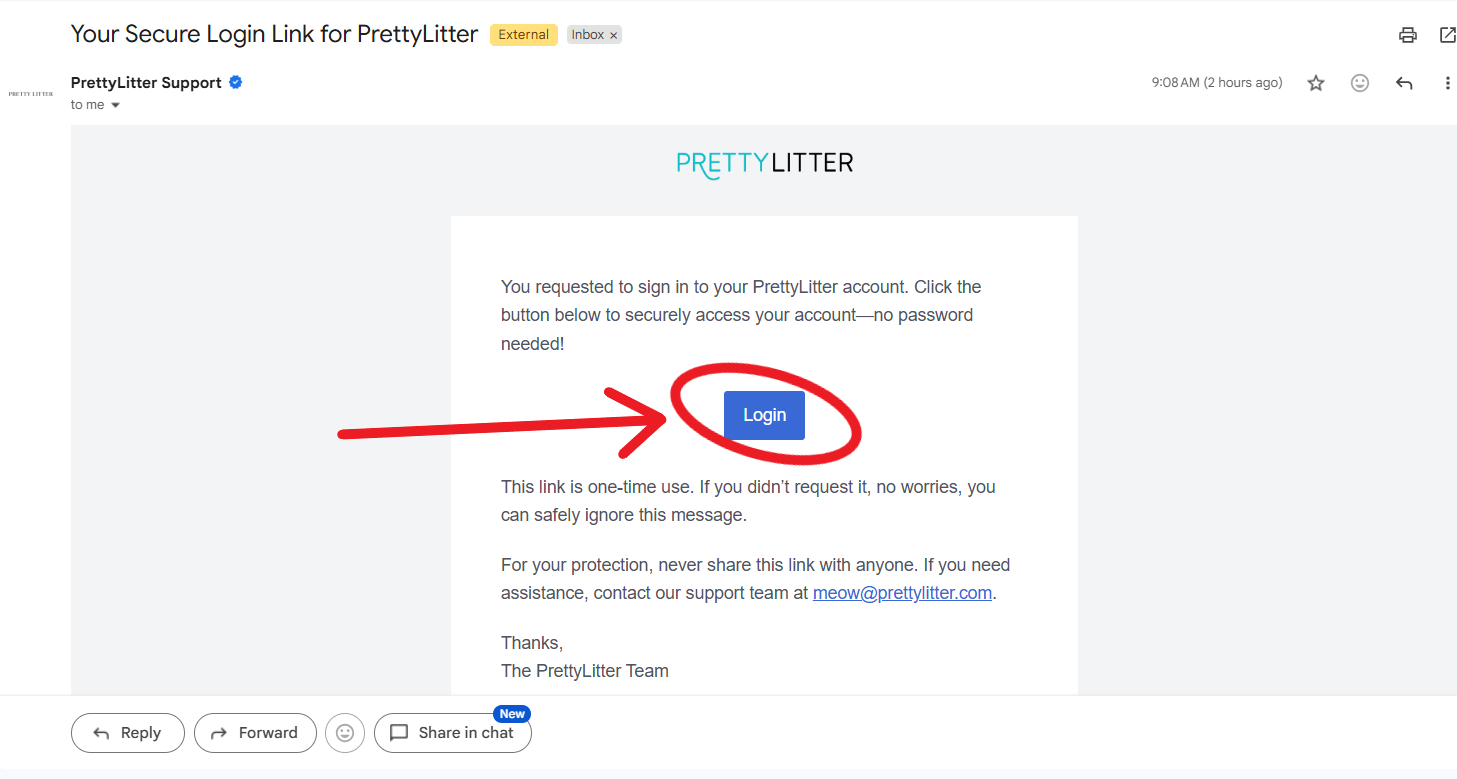
Check your inbox for your secure magic link email.
Step 5
Click the link inside the email, and voilà—you're logged in!
Step 6
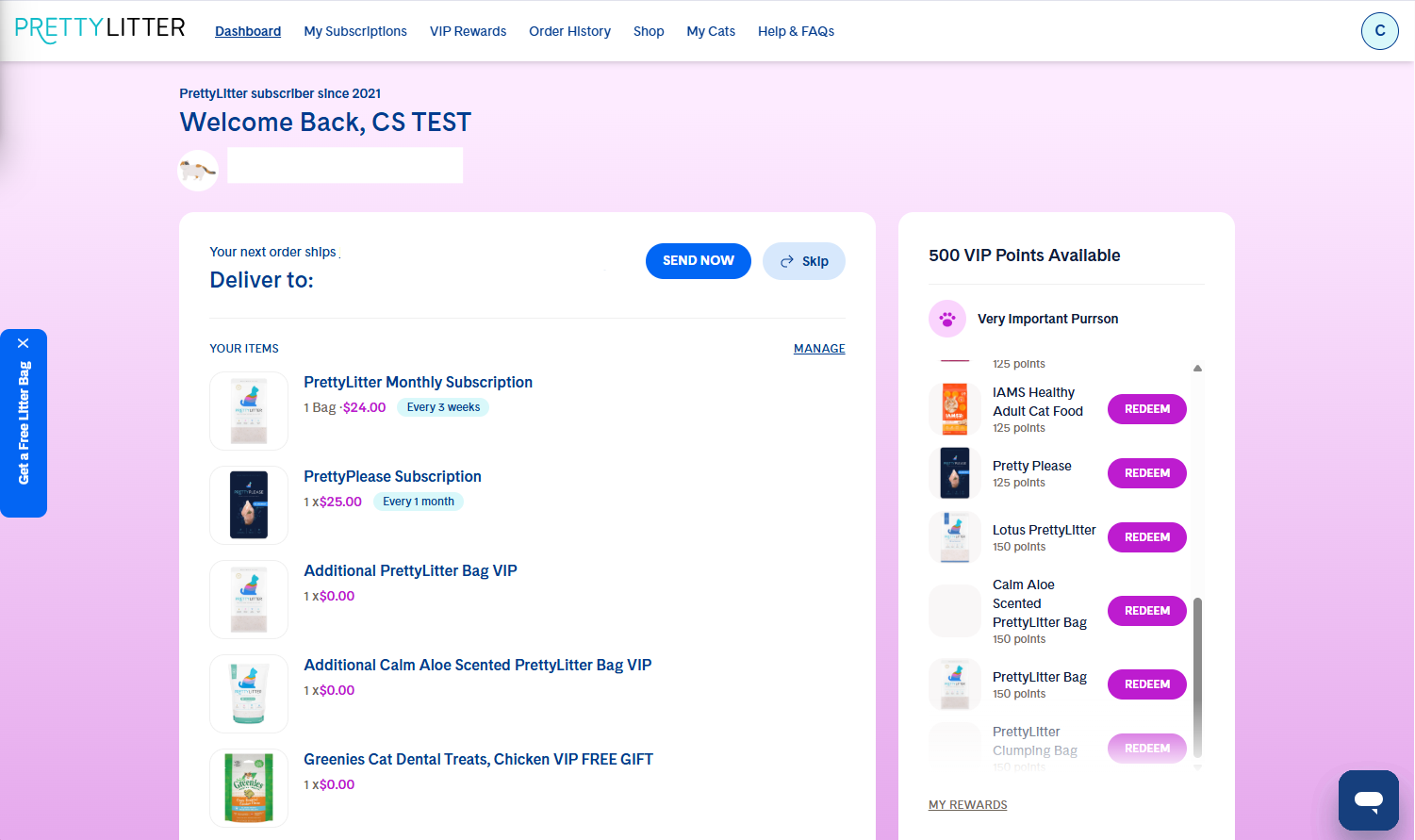
Once in, you can now access your PrettyLitter account and manage your subscription. ✨
Didn’t Get The Email?
- Check Spam & Promotions: Sometimes our emails accidentally wander into spam or promo tabs.
- Verify Your Email: Double-check that you're entering the exact email address tied to your account.
- Give It a Moment: Inboxes occasionally take a quick catnap! Try waiting a few minutes before requesting a new link.
Why Password less?
Password-free logins keep your personal details extra secure while saving you the hassle of remembering another password. It’s the fastest, safest way to get you right into your dashboard!
Need help navigating your account? These articles can help:
Need more assistance with your request? Email us at meow@prettylitter.com or connect with us on one of our LIVE support channels. We are standing by and happy to help.